
One question we often receive is whether we can combine console emulations in the same session, and what the approach would be. The short answer is, of course, you can! It’s all a matter of thinking about the mix differently.
Mixing Consoles in the analogue world
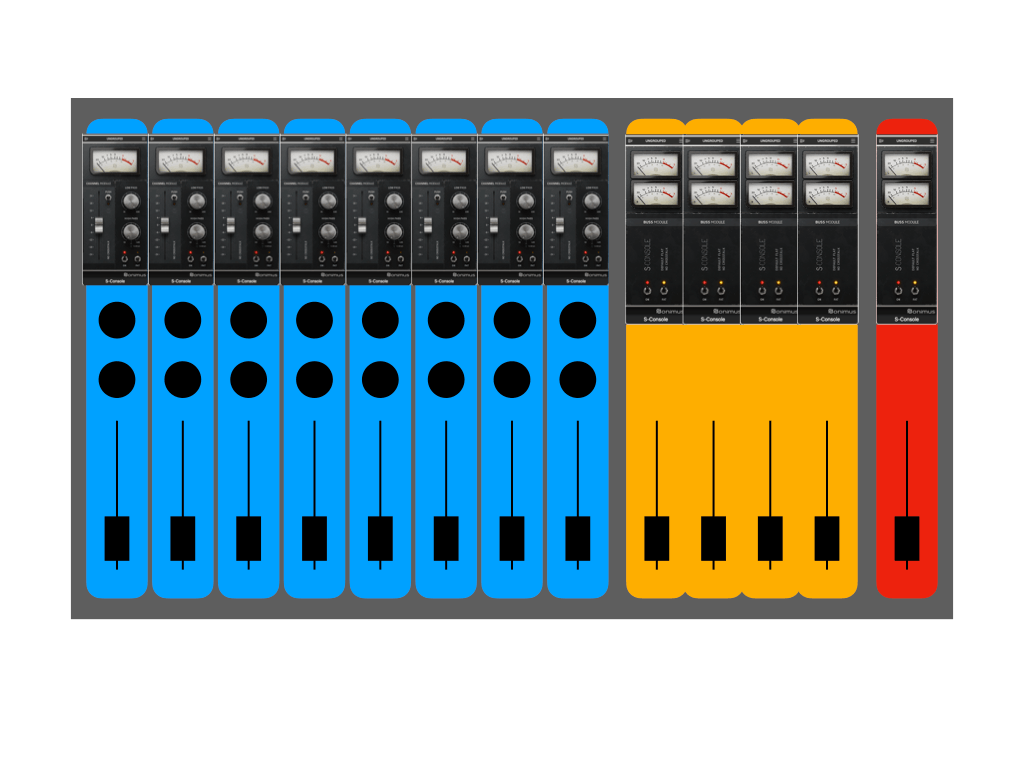
The Sonimus Console Emulation workflow is designed to turn your DAW into a virtual analogue console by adding the Channel plugin to audio tracks and the Buss plugin to the master and summing buses or groups, just like a real analogue console is structured. This way, the console character is emulated as a whole, and the mixing process on an analogue console is mimicked.
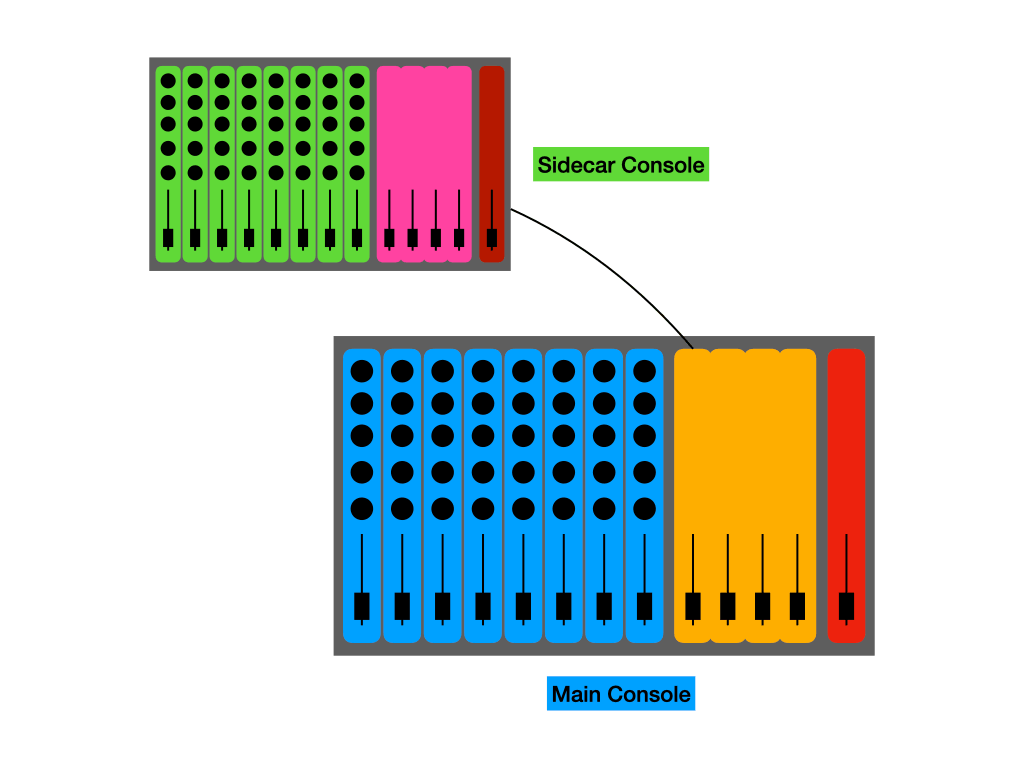
But back in the day, there were occasions when the large-format console wasn’t enough, and we needed to add a side-car console to complete the setup, submix a few tracks, or add a specific tone to an instrument.
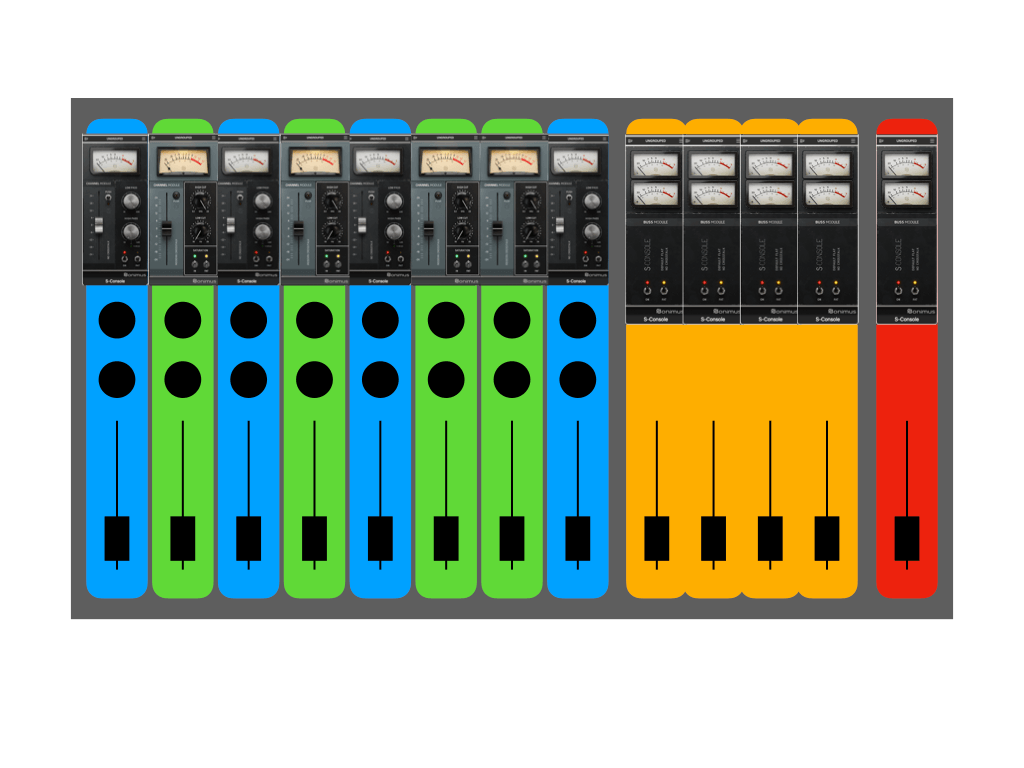
In other scenarios, with consoles like the SSL series, you could swap console channels and get different EQ modules, giving you different tone-shaping capabilities on each channel while summing to the original console bus; then you could send specific instruments to each channel and get a completely original mix.
Keeping these two workflows in mind is how you can combine several Sonimus Console Emulations into one single session.
Setup Number 1: Modular Console
The simplest approach to combine console emulations is the custom console. You use Channel plugins from different console emulations on each track of your DAW, and then you use one Buss plugin for the master bus. This way, each individual track gets the character from different consoles, and then you sum through a single Buss plugin for cohesion.
Setup Number 2: Submixing
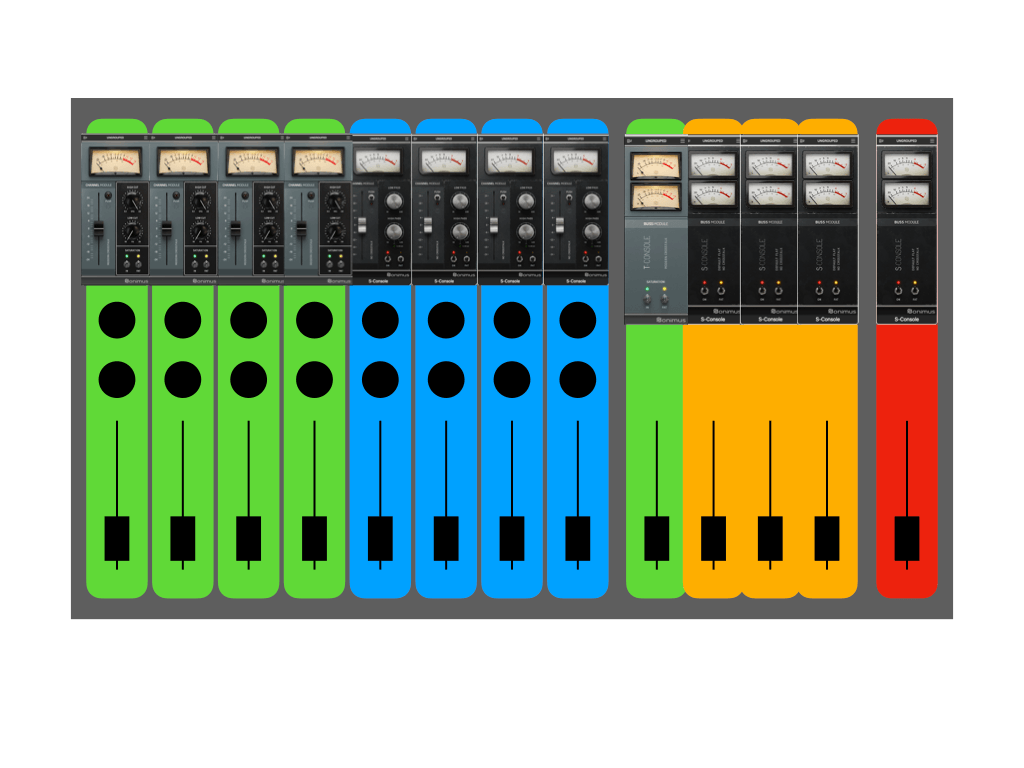
A second approach is to create submixes from a group of tracks using different Console emulations, like drums, guitars, strings or effects. Each track in the group will have the Channel of a Console emulation and be summed together on a stereo aux track with that console’s Buss plugin. Then the output of each Aux group track will be brought together through a master track with the Buss plugin of your choice.
Setup Number 3: Stacking
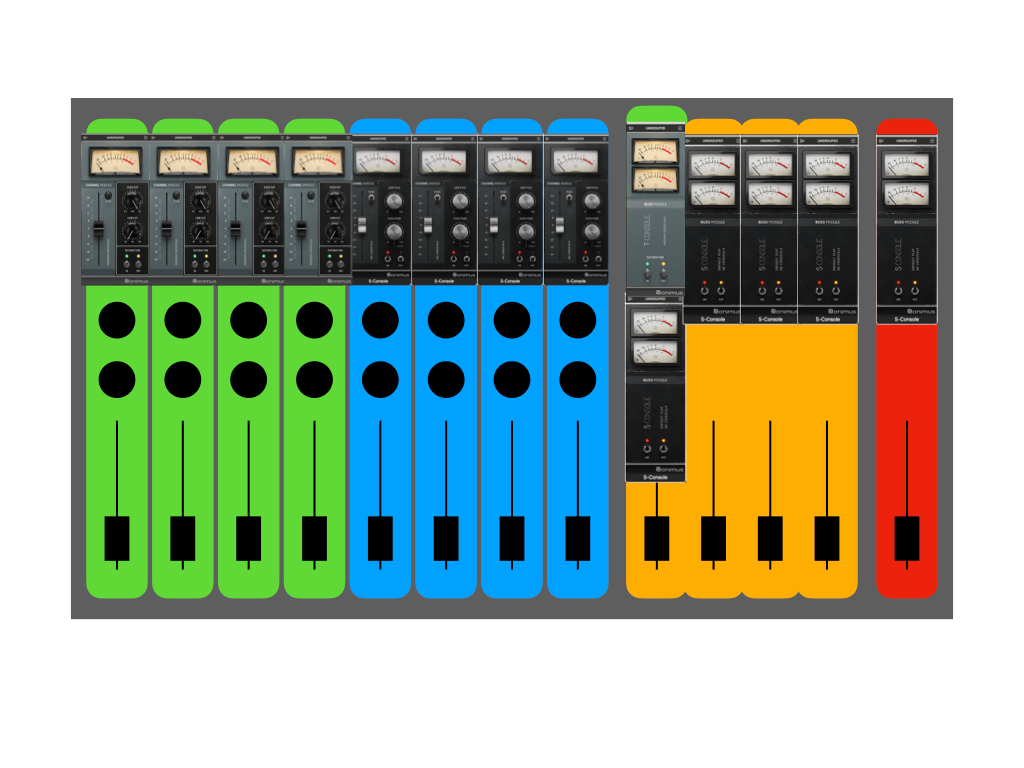
This setup is the most colorful of the three, and it stays true to the topology of combining consoles. Based on the submix setup, we need to add a Channel or Buss plugin of the console we are using in our Master mix at the end of the submix group, just like we were sending the submixes to the channel or group tracks of an analogue console
A Note about Using Master Grouping
While this is completely possible, keep in mind that the master grouping of each Console Emulation will only affect the channels and buses of that specific console. You can’t control A-Console channels through T-Console Master Grouping. This keeps each console’s workflow as close as possible to real analogue consoles in the box.
These are just starting ideas for using different Console emulations in the same session. The great thing about working in the digital realm is that there are no real limitations on how to use or combine your Console emulations. It’s all about achieving the tone and feel you are after.
Do you already use any of these setups in your template? Let us know in the comments and share this article with someone looking to experiment with their Sonimus Console emulation collection.






Leave A Comment
You must be logged in to post a comment.